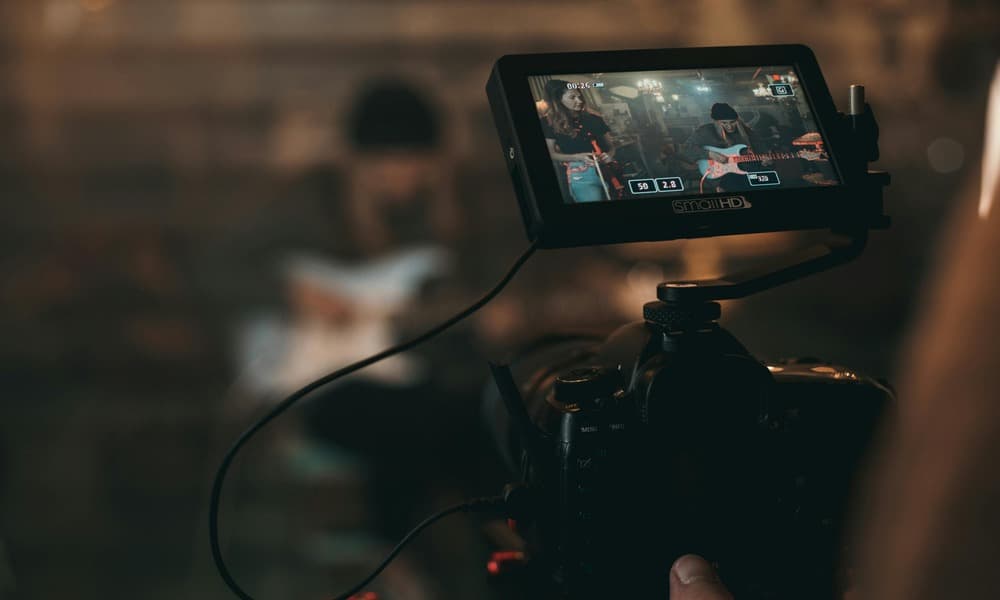
Tanto si quieres crear un videoclip con IA como si buscas entender el papel que puede desempeñar en tus visuales musicales, has llegado al lugar indicado. La IA está evolucionando rápidamente y ya está siendo utilizada por muchos artistas para optimizar flujos de trabajo, crear contenido y explorar ideas para llevarlas al siguiente nivel.
Si bien la IA puede estar mal vista en la industria, especialmente cuando se trata de la creación de música, es importante conocer las áreas en las que puede ser beneficiosa para tus proyectos. Usarlo como herramienta de vídeo para músicos puede ahorrar tiempo y dinero y, a menudo, ayuda a crear algo que antes no habría sido posible para muchos artistas independientes.
¿Qué es un generador de videos musicales con IA?
Un generador de vídeos musicales con IA es exactamente lo que parece. Es simplemente una herramienta que utiliza inteligencia artificial para crear contenido visual de forma automática. Se sincroniza con una canción para transformar archivos de audio o texto simple en vídeos musicales completos sin necesidad de filmarlos o editarlos de forma compleja. Esto se puede hacer a través de varios métodos de aviso diferentes, incluidos texto, imágenes o audio.
Indicaciones de conversión de texto a vídeo
La mayoría de las solicitudes de IA requieren algún tipo de texto para proporcionar contexto, por lo general con instrucciones o ejemplos específicos que los usuarios necesitan. La conversión de texto a vídeo hace referencia a los clips de vídeo escritos a partir de descripciones textuales, que transforman frases como «una pareja bailando bajo la lluvia» en imágenes conmovedoras, con escenas, acciones y, a veces, incluso audio y efectos sincronizados, replicando la creación de vídeos sin la filmación tradicional.
Indicaciones de imagen a vídeo
La conversión de imagen a vídeo utiliza la tecnología de inteligencia artificial para convertir fotos o gráficos estáticos en clips cortos animados añadiendo movimiento, efectos de cámara y estilo, mediante instrucciones de texto para guiar a la IA en el movimiento, el estado de ánimo y la narrativa deseados.
Imágenes que reaccionan al sonido
Los gráficos que reaccionan al audio son gráficos digitales dinámicos que responden en tiempo real al sonido, transformando el ritmo, el tono y el volumen de la pista en cambios visuales sincronizados en forma de color, forma o movimiento. Suelen verse en los visualizadores de música, especialmente en los espectáculos en directo.
Con la industria de la música en constante cambio y la IA en aumento, los vídeos musicales tradicionales se están volviendo obsoletos rápidamente, y los usuarios prefieren un método más rápido y rentable para sus vídeos musicales. Además de esto, ya no hay muchos requisitos para los vídeos musicales de formato largo, ya que el contenido de formato corto recibe 2,5 veces más participación y tiene un 47% más de probabilidades de hacerse viral. Si bien los vídeos de larga duración ayudan a fomentar mejor la comunidad y la narrativa, para el artista independiente promedio, el crecimiento es demasiado importante como para no aprovecharlo, y la IA está ayudando a muchos artistas a beneficiarse de este enfoque de la nueva era.
¿Cuáles son los beneficios de crear un vídeo musical con IA?
Si bien la IA ciertamente tiene sus inconvenientes, cuando se trata de vídeos musicales, definitivamente hay beneficios para los músicos. Repasemos algunas de las ventajas de usar la IA para crear un vídeo musical.
- Solución de vídeo musical de bajo coste para artistas
- Tiempo de respuesta rápido
- Amplia variedad de estilos y efectos visuales
- No se necesitan equipos costosos ni un equipo de filmación
- Fácil para principiantes y artistas que publican música con frecuencia
Ahora, como todo, la IA es una herramienta que puede facilitar el proceso creativo, pero usarla de manera efectiva es una habilidad en sí misma. La calidad del resultado final depende en gran medida de tu nivel de habilidad, las indicaciones, tu comprensión de lo que es capaz cada plataforma y el tipo de imágenes que intentas crear. Conocer tus objetivos creativos te ayudará elija la herramienta de IA adecuada para su proyecto.
¿Cuáles son las mejores herramientas de vídeo de IA para músicos?
Con la rápida evolución de la IA, los artistas tienen una gran cantidad de opciones de IA entre las que elegir para crear vídeos musicales y clips promocionales. Según tu nivel de habilidad y tus requisitos, es posible que te adaptes mejor a diferentes herramientas de IA. Así que vamos a sumergirnos y explorar algunas de las mejores herramientas de IA para músicos.
CapCut
Nivel de habilidad: principiante
Fijación: plan gratuito y complementos de pago opcionales
Utilízalo para: Clips promocionales rápidos, vídeos con letras, avances para redes sociales
Ideal para: Artistas o estudiantes que no tienen experiencia en la edición de vídeo
Canva
Nivel de habilidad: principiante
Precios: Plan gratuito o profesional con activos premium
Utilízalo para: Edición sencilla de arrastrar y soltar, plantillas de vídeo prediseñadas, superposiciones de texto
Ideal para: Nuevos artistas que buscan crear vídeos promocionales sencillos
Laboratorios Pika
Nivel de habilidad: Principiante/intermedio
Precios: Nivel gratuito con créditos de pago para vídeos más largos y de mayor calidad
Utilízalo para: Generación de IA de texto a vídeo y transformaciones de imagen a vídeo
Ideal para: Artistas con ideas abstractas o conceptuales para vídeos musicales
Recibe los últimos consejos para artistas independientes directamente en tu bandeja de entrada.
¡Repleto de consejos, trucos y hacks para llevar tu carrera musical al siguiente nivel!
¡Gracias por suscribirte!
¡Ups! Algo salió mal al enviar el formulario.
Kaiber
Nivel de habilidad: Intermedio
Precios: Se requiere suscripción
Utilízalo para: Visuales musicales y visuales/animaciones que reaccionan al audio
Ideal para: Ideal para artistas que buscan crear vídeos musicales completos o imágenes en bucle
Runway ML
Nivel de habilidad: Intermedio/Experto
Precios: Créditos iniciales gratuitos y suscripción de pago para exportaciones de mayor calidad
Utilízalo para: Herramientas avanzadas de edición avanzada de texto a vídeo, generación de imágenes a vídeo
Ideal para: Artistas o sellos discográficos que confían en crear vídeos musicales serios y de alta calidad o contenido promocional
Máquina de sueños Luma
Nivel de habilidad: Experto
Precios: Planes de pago con un costo más alto para uso comercial
Utilízalo para: Vídeos realistas de alta gama, texto a vídeo, imagen a vídeo, imágenes cinematográficas. Entre los modelos de IA más sólidos en cuanto a realismo
Ideal para: Artistas que buscan imágenes de alta calidad con un enfoque en el realismo más que en el estilo
Hay alternativas disponibles que pueden ofrecer un servicio similar al de la IA. En lugar de crear algo completamente nuevo, proporciona un banco de contenido para que los artistas lo utilicen y, al mismo tiempo, ofrece un buen nivel de personalización. Echa un vistazo a plataformas como Music Video Marketplace y a herramientas gratuitas como El generador Spotify Canvas de Ditto Music.
Cómo crear un vídeo musical con IA
1. Define el concepto, el estado de ánimo y la narrativa que quieres para tu vídeo musical
2. Prepara el fragmento de canción o el audio completo que elijas
3. Elige la herramienta de IA que mejor se adapte a las necesidades de tu vídeo musical
4. Escriba instrucciones de IA eficaces proporcionando la mayor cantidad de detalles posible
- Sea descriptivo y específico
- Tenga en cuenta la relación de aspecto (16:9, 9:16, 1:1)
- Combine la narración visual con terminología cinematográfica específica; piense en los ángulos de cámara, la iluminación y las técnicas de edición
5. Defina el estado de ánimo/estilo y detalle los temas y las acciones
6. Genera tus escenas
7. Refina tus fotos
8. Sincroniza tus clips con tu música
9. Cuando estés satisfecho, exporta tu vídeo. Ditto, los artistas pueden subir y gestionar vídeos musicales directamente a través del panel de control de Ditto Music. Ahora es más fácil que nunca mantener los lanzamientos, las imágenes y las promociones en un solo lugar.
Cómo utilizar vídeos musicales basados en IA en tu promoción musical
Ahora lo difícil ha terminado, pero como todo, es tan bueno como tu marketing. Una vez que hayas terminado tu vídeo musical, es importante que consideres cómo y dónde lo vas a utilizar. A continuación, se muestran algunos ejemplos de dónde puedes publicar e incluir tus imágenes para ayudarte promociona tu música de forma independiente.
- Clips de TikTok
- Carretes de Instagram
- Cortometrajes de YouTube
- Lienzo de Spotify
- EPK (dossier de prensa electrónico)
- Cargar a Vevo
El auge de la IA ha transformado los vídeos musicales para artistas independientes, haciéndolos más rápidos, económicos y accesibles que nunca. Aunque no reemplaza por completo la necesidad de creatividad humana, brinda a los músicos la oportunidad de crear imágenes de alta calidad sin un respaldo importante ni habilidades de edición extensas. El uso de indicaciones eficaces y las herramientas adecuadas puede permitir que la IA se convierta en el socio creativo perfecto para ofrecer imágenes atractivas que puedan sube de nivel tu promoción musical para cada nueva versión.

Únete a la conversación